Privacy and security
Outcome: You will understand what ReMarkSync processes, what its servers receive, and what you control.
Before you begin
Section titled “Before you begin”No security setting is required for normal use. Review this page before connecting an organization-managed Microsoft account or sending diagnostics to support.
How your notes move
Section titled “How your notes move”- The official reMarkable desktop app downloads your notes to the computer through the reMarkable cloud.
- ReMarkSync reads the local files for content you selected.
- ReMarkSync converts that content on the computer.
- ReMarkSync sends the result directly to your Microsoft account over an encrypted connection.
If you turn on handwriting search, ReMarkSync also reads your handwriting on the computer and adds searchable text to the same OneNote page. Your handwriting, page images and recognized words are never sent to an online service to be read.
Microsoft sign-in
Section titled “Microsoft sign-in”Microsoft handles sign-in through OAuth 2.0 with PKCE. ReMarkSync never asks for or stores your Microsoft password. Organization-managed accounts can require administrator approval.
App analytics
Section titled “App analytics”Analytics in the desktop app is off by default and begins only if you enable it. It does not include note content, document names, your email address, Microsoft identifiers, or local file paths. You can turn it off in Settings.
Diagnostics and support
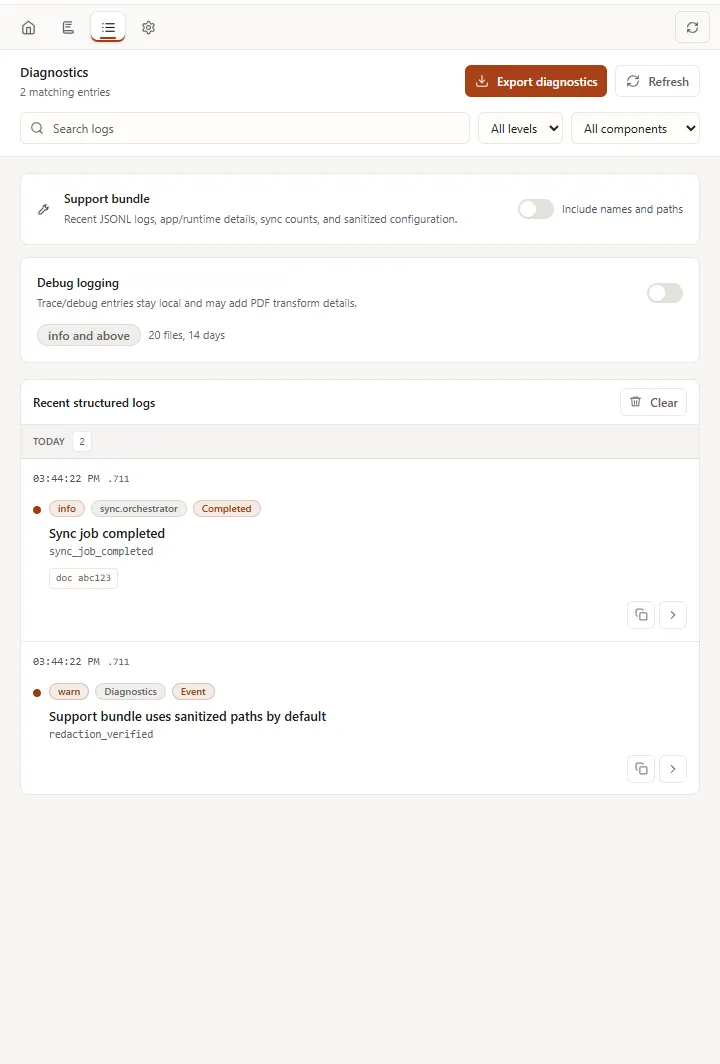
Section titled “Diagnostics and support”Diagnostic logs stay on the computer unless you export and attach them to a support request. They are designed to omit note content and local paths. Keep Include names and paths off unless support asks for that information and you review the export first.
Expected result
Section titled “Expected result”You can use ReMarkSync without sending note content through ReMarkSync’s servers, and you remain in control of optional analytics and support exports.
If your screen looks different
Section titled “If your screen looks different”Privacy controls can move as the app changes. Look for Diagnostics, Export diagnostics, Include names and paths, and app analytics in Settings.
Troubleshooting
Section titled “Troubleshooting”If you are unsure what a diagnostic file contains, do not send it. Contact support@remarksync.com and ask what minimum information is needed.