
Choose how deleted pages are handled
Outcome: ReMarkSync will apply the deletion policy you choose to future removed pages.
Before you begin
Section titled “Before you begin”- Complete setup.
- Understand that the choice affects the OneNote copy, not the original deletion on reMarkable.
Choose a policy
Section titled “Choose a policy”- Open the Settings tab.
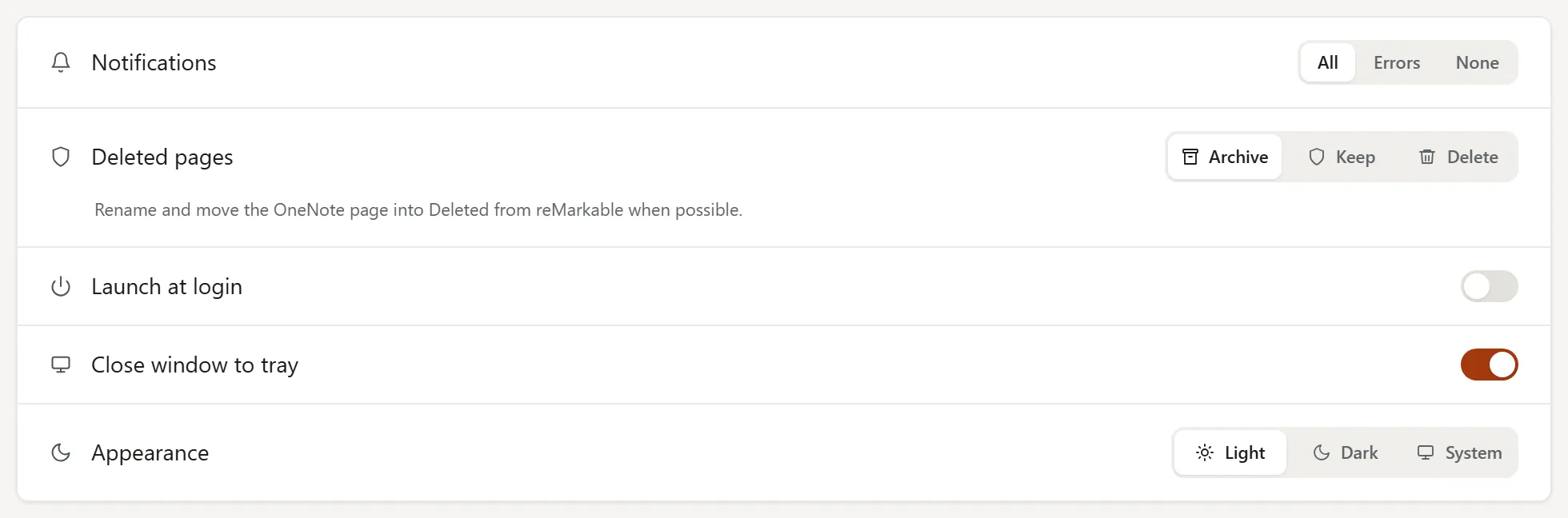
- Find Deleted pages under Preferences.
- Choose one option:
- Archive (the default): rename and move the OneNote page into Deleted from reMarkable when possible.
- Keep: leave the OneNote page in place and record that the source was deleted.
- Delete: remove the matching OneNote page. Use this only when OneNote should mirror reMarkable closely.
- Continue using ReMarkSync. The selected policy applies when it detects a removed page.
- Open Activity to confirm the recorded Archived, Kept, or Deleted action.
Older versions of a page
Section titled “Older versions of a page”Sometimes OneNote ends up with an older version of a page next to the real one, for example after a recovery copy became the real page. ReMarkSync then handles the older version with the same setting:
- Archive or Delete: the older version is renamed, for example “Shopping (older version 1)”, and moved to Deleted from reMarkable. Delete archives it too, because the older version may hold notes you typed in OneNote.
- Keep: the older version stays where it is.
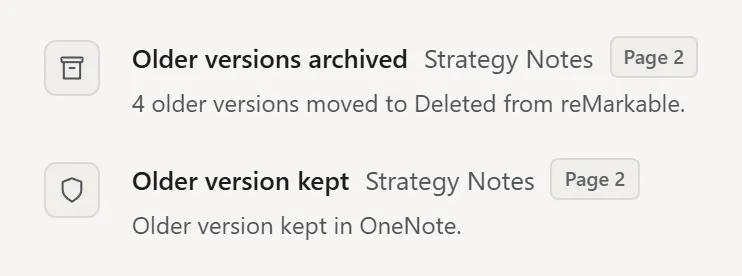
ReMarkSync does this in the background, one page at a time, only while nothing else is syncing. Activity, in History, shows one line per page, such as Older versions archived with “4 older versions moved to Deleted from reMarkable.” or Older version kept with “Older version kept in OneNote.” With Delete, the archived line adds “because it may have your OneNote notes.”
Expected result
Section titled “Expected result”If your screen looks different
Section titled “If your screen looks different”OneNote lets connected apps delete pages, but it does not currently let them delete sections or section groups. An empty section or group can remain after a notebook or folder is removed.